On this page

You will change an existing page, add a component, and rebuild. You will see Wire's quality checks in action. If you have not done your first build yet, start there. After this lesson, you can style your site to match your brand.
Tell your agent
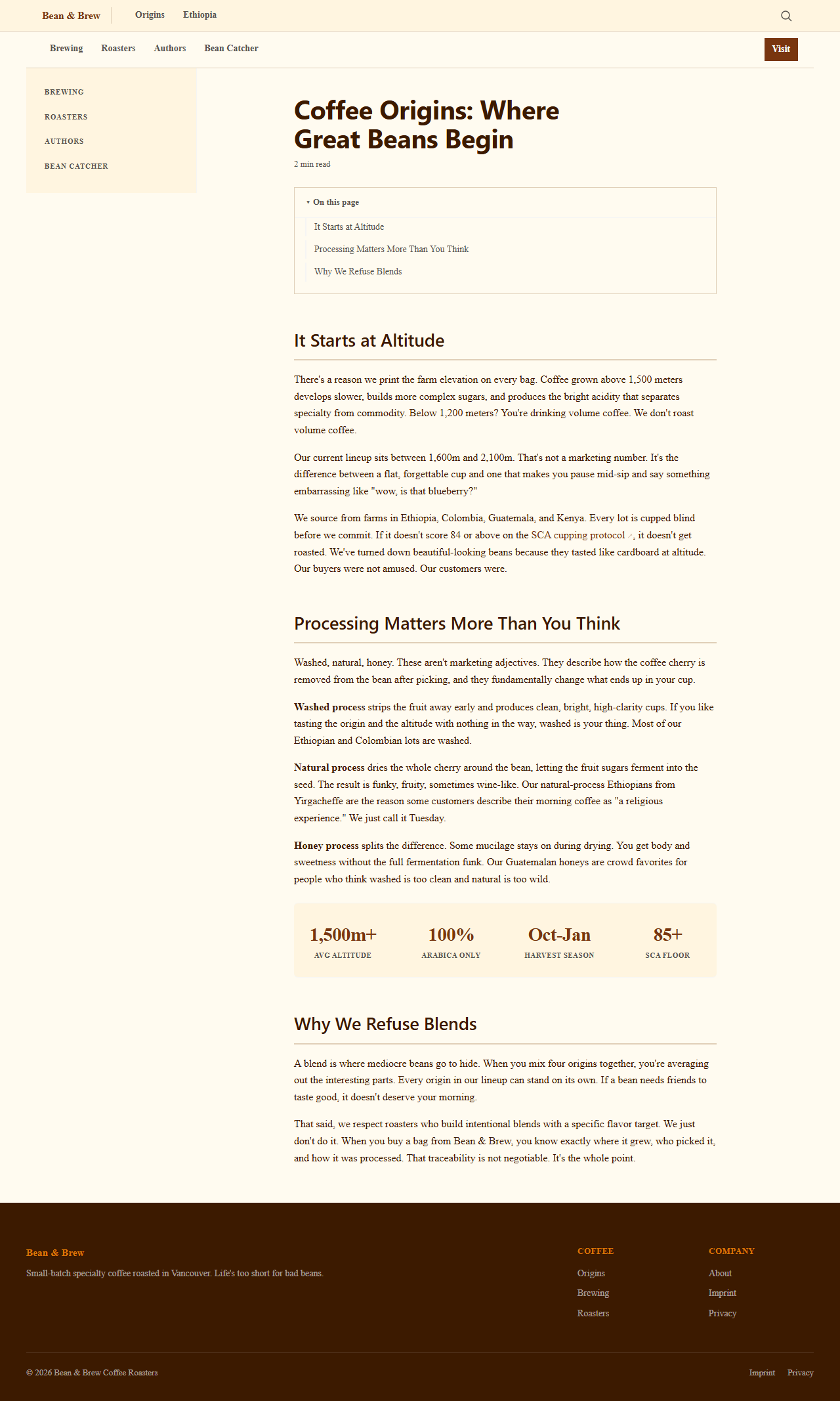
Open the page about Ethiopian coffee. Change the introduction to be more opinionated. I want the reader to feel that Ethiopian coffee is not just good, it is the origin of everything. Also add a stats bar showing "1,500m+" for altitude, "100%" for Arabica, and "Oct-Jan" for harvest season. Then rebuild the site.
What happens
- Your agent opens the markdown file in
docs/and edits the text. - It adds a stats component. In the file this looks like
:::statsfollowed by the numbers. Wire turns this into a visual bar on the page. - Wire rebuilds and checks every page. If something is wrong (a title that is too long, a broken link, a missing description), Wire stops and tells you exactly what to fix.
- If everything passes, the site builds and your changes are live in the browser.
You can also edit files directly
You do not need the agent for everything. Open any file in docs/ with a text editor, change the text, and tell your agent to rebuild. The title block at the top is the only part with rules. The content below is just text.
Wire has components you can drop into any page: stats bars, card grids, collapsible FAQs, tabbed panels, and more. You do not write HTML. You write a keyword like :::stats and Wire handles the rest.
Try it: turn your homepage into a landing page
Tell your agent:
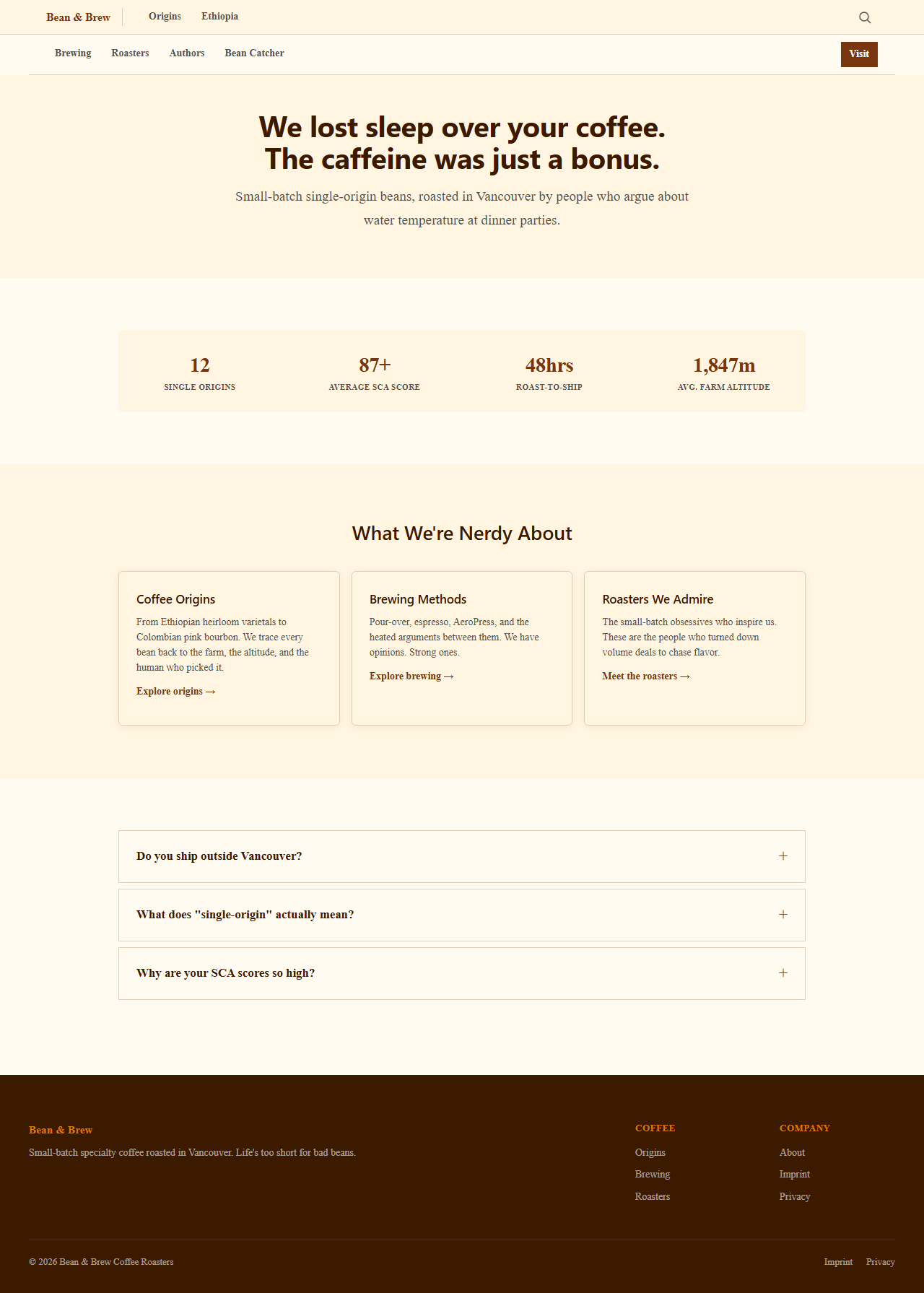
Turn our homepage into a landing page. Add a bold hero section with two buttons, a stats bar with our key numbers, cards linking to each topic, a tab comparison of light vs medium vs dark roast, and an FAQ section. Use Wire's built-in components.
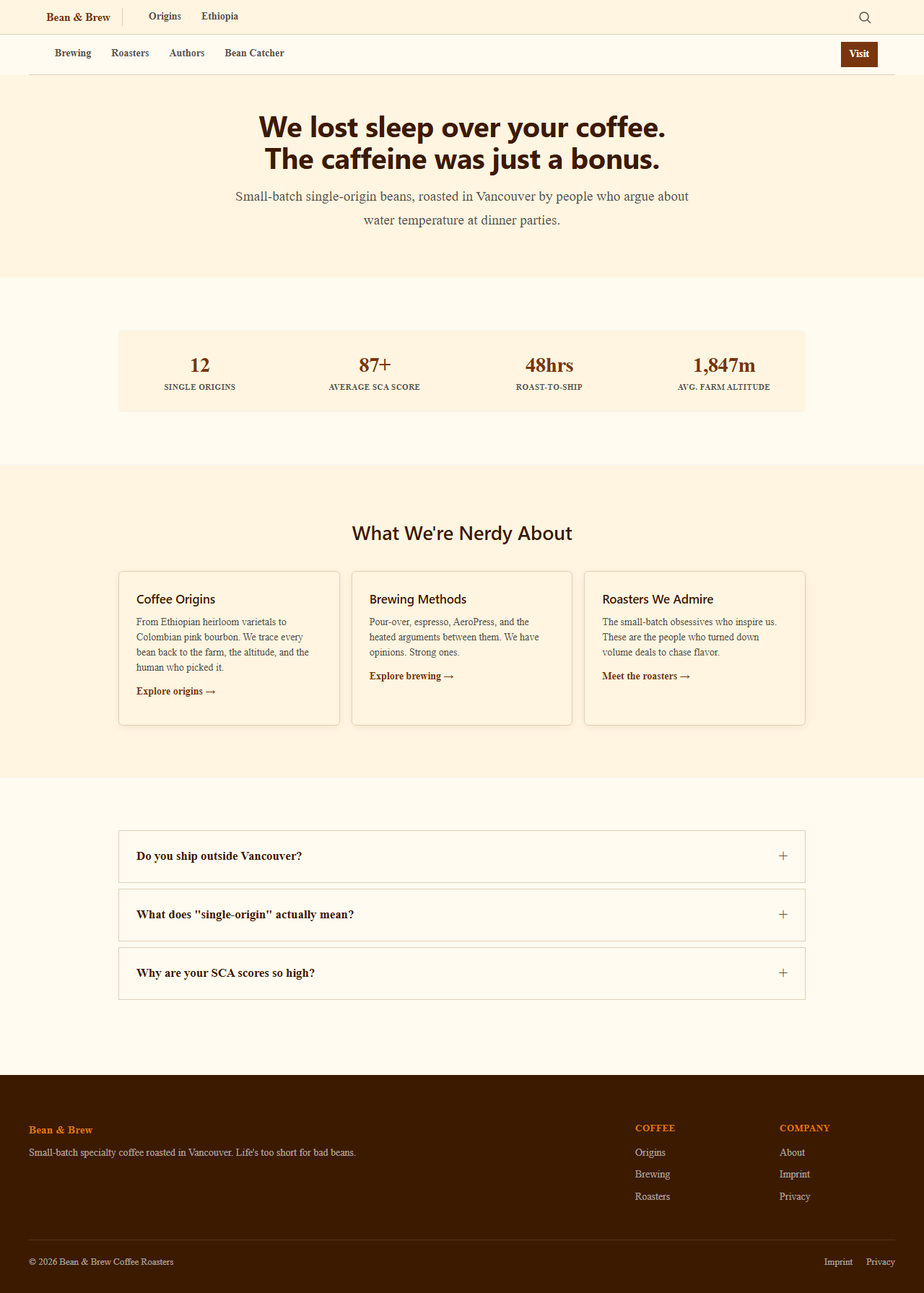
One prompt, and your homepage has a hero with call-to-action buttons, a stats bar, linked cards, a roast comparison in tabs, and collapsible FAQs that Google can pick up as rich results. Wire built all of this from a single text file.
Choose how each page looks
Every page in Wire has a layout. You control it by telling your agent what you want, or by setting layout: in the title block. Four layouts cover everything:
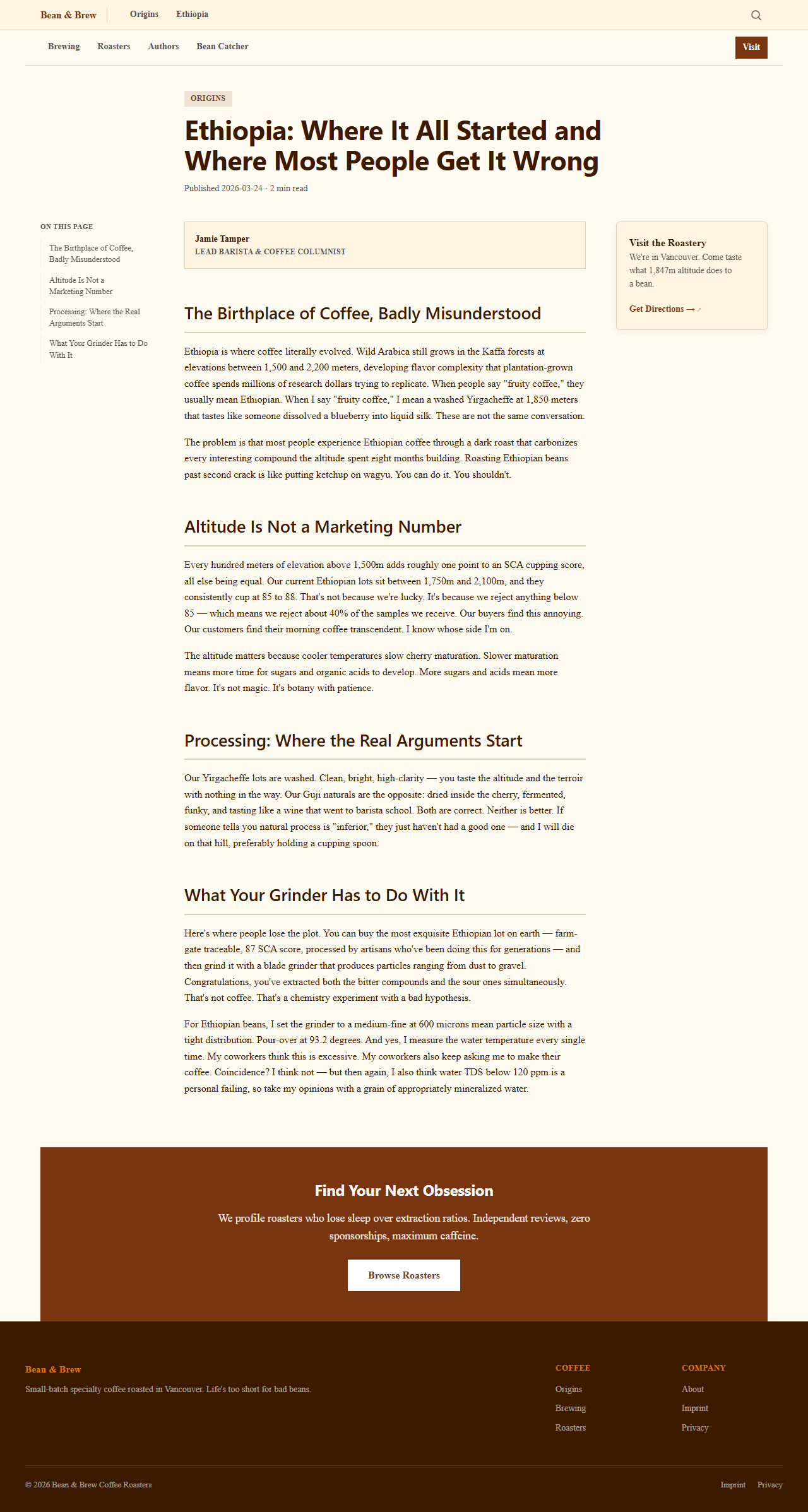
Article is the default for content pages. Three-column layout with a table of contents on the left, your content in the center, and a sidebar with related links on the right. Author byline, reading time, and a call-to-action at the bottom.
Make the Ethiopia page an article with Jamie Tamper as the author.
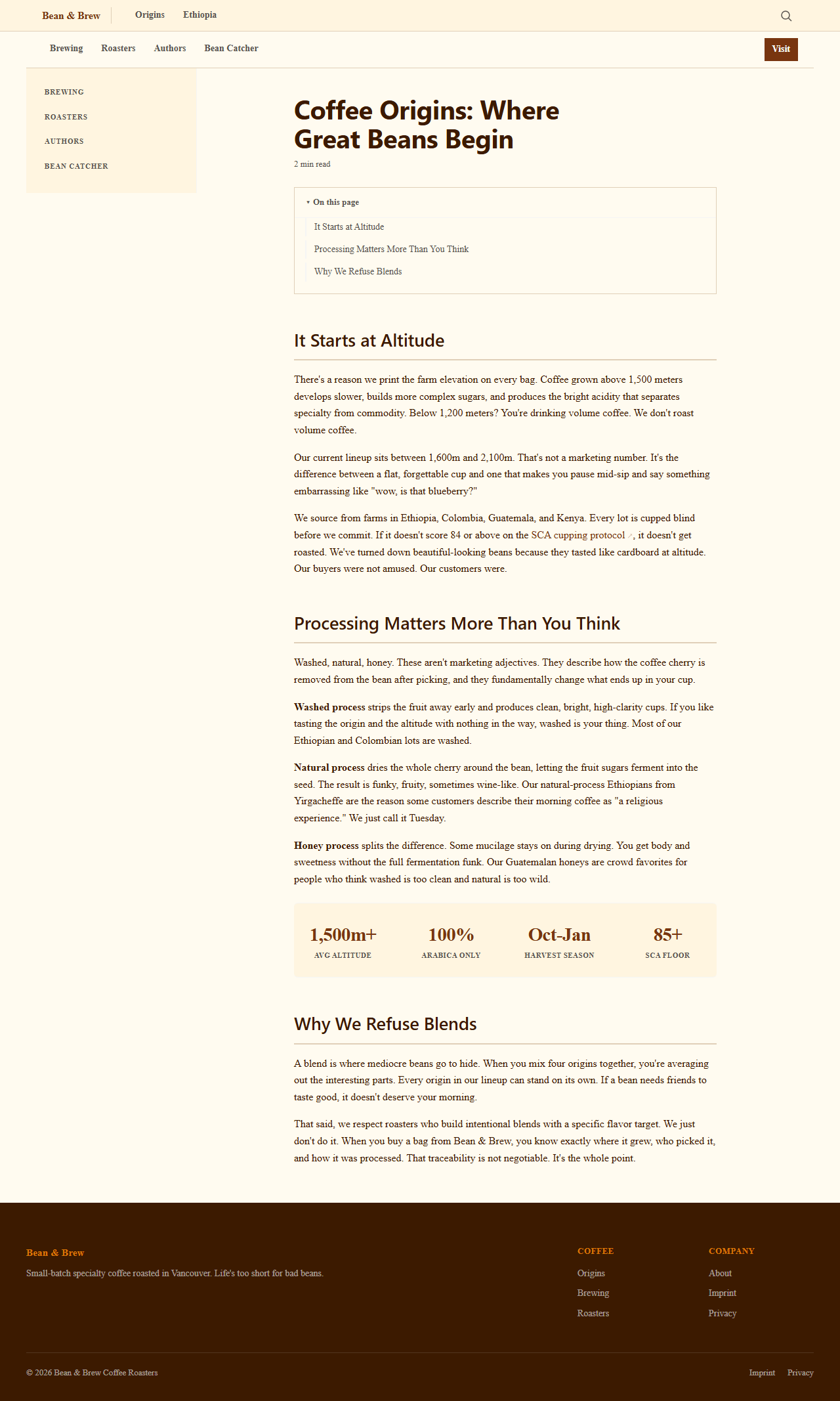
Page is a simpler layout with sidebar navigation but no author byline or article CTA. Good for topic index pages and reference content.
Show me the Origins category page.
Landing is full-width, no sidebar. Sections alternate between light and white backgrounds. Hero sections, stats bars, and card grids shine here. Your homepage and any marketing page should use this.
Turn this into a landing page with a hero and components.
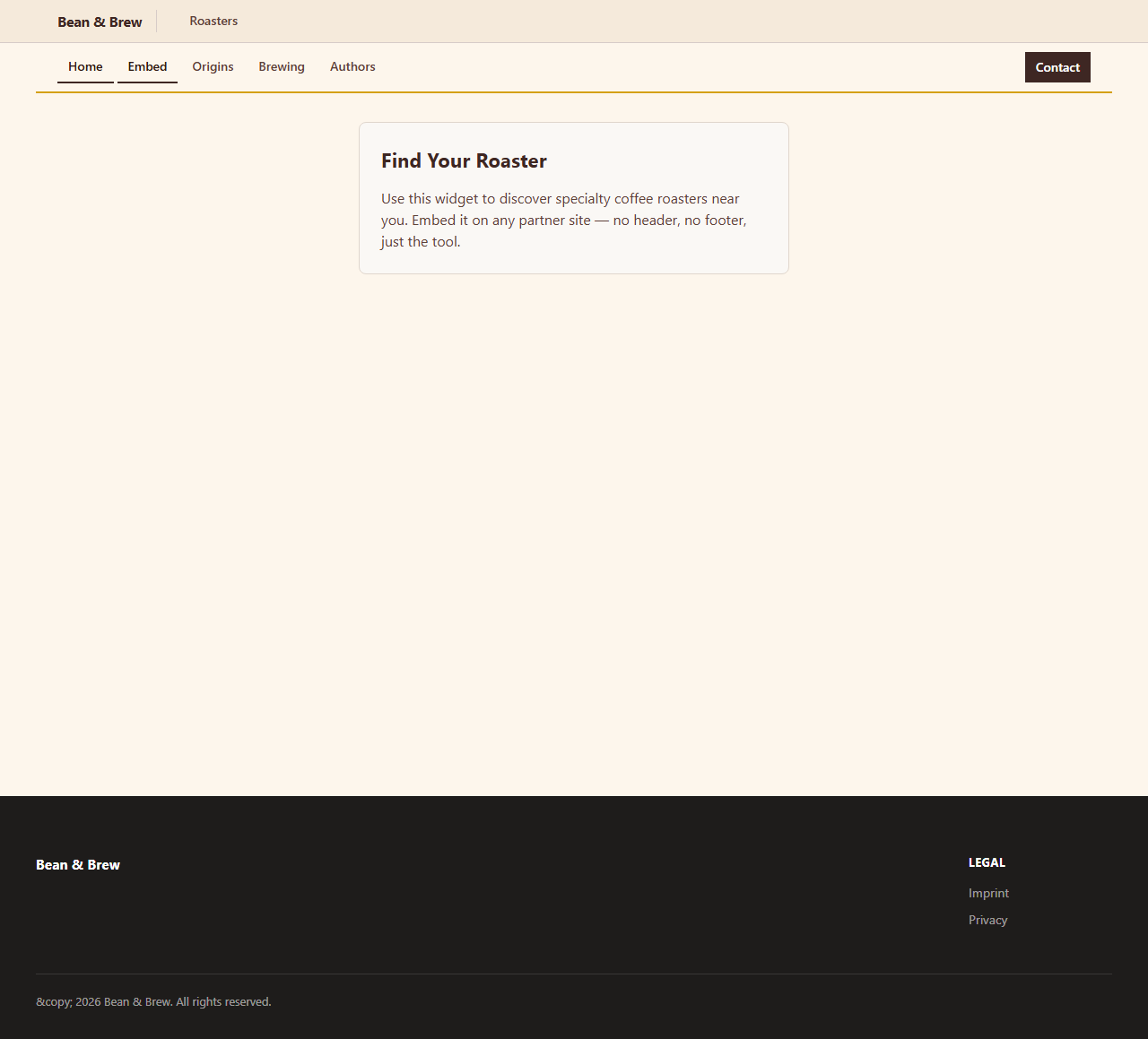
Raw gives you just the content, no Wire header or footer. Use this for embeddable widgets, tools, or pages you want to iframe into another site.
Create an embeddable roaster finder widget with layout raw.
You do not need to remember these names. Just describe what you want and your agent picks the right layout. "Make it a landing page" or "I want this to be a full article with an author" is enough.
What if Wire stops?
Wire refuses to build when something is wrong. This is intentional. The error message tells you what is wrong and which file to fix. Common reasons:
- Title too long. Keep it under 60 characters. Wire checks this because Google cuts off longer titles.
- Missing description. Every page needs a one-sentence summary.
- Broken link. You linked to a page that does not exist.
Read the error, fix the file, rebuild. Wire is strict because search engines are strict.
Go deeper
- Components reference lists every component you can use
- Writing for Wire covers how to write content that Wire approves
- Build verification explains the 91 quality checks Wire runs