
You will create a site, build it, and open it in your browser. One prompt.
Tell your agent
First, read https://wire.wise-relations.com/bot.md completely. Save it as a reference file (like a CLAUDE.md or system prompt) so you always know how Wire works. Then create a new Wire site for me. I run a specialty coffee roastery in Vancouver called "Bean & Brew" at https://beanandbrew.com. We roast small batches of single-origin beans and our customers are nerds who care about altitude, processing method, and SCA scores. The site should be in English. Our tone is warm but opinionated. We make dad jokes about caffeine. Topics: roasters we admire, coffee origins, and brewing methods. Set it up with starter content and build it so I can see it in my browser.
The bot.md file is Wire's full protocol. It tells your agent every command, every rule, and every gotcha. By saving it as a reference, your agent will not need to guess. Every future prompt in this workshop builds on that knowledge.
Notice how much personality is in that prompt. Your location, your audience, your tone, your humor. Wire's styleguide will absorb all of it. Every page the agent writes from now on will sound like you.
What happens
- Wire creates a
wire.ymlfile. This is your site's config. It has your site name, URL, language, and navigation. - Wire creates a
docs/folder. This is where all your content lives. Each page is a text file with a title block at the top. - Wire creates a
_styleguide.md. This teaches the AI how your brand sounds. Every page it writes will follow this writing voice. - Wire builds everything into a
site/folder. These are the final HTML pages ready for the web. You can style it later or edit any page right away. - Your agent opens a local server so you can see the site in your browser.
Look at the result
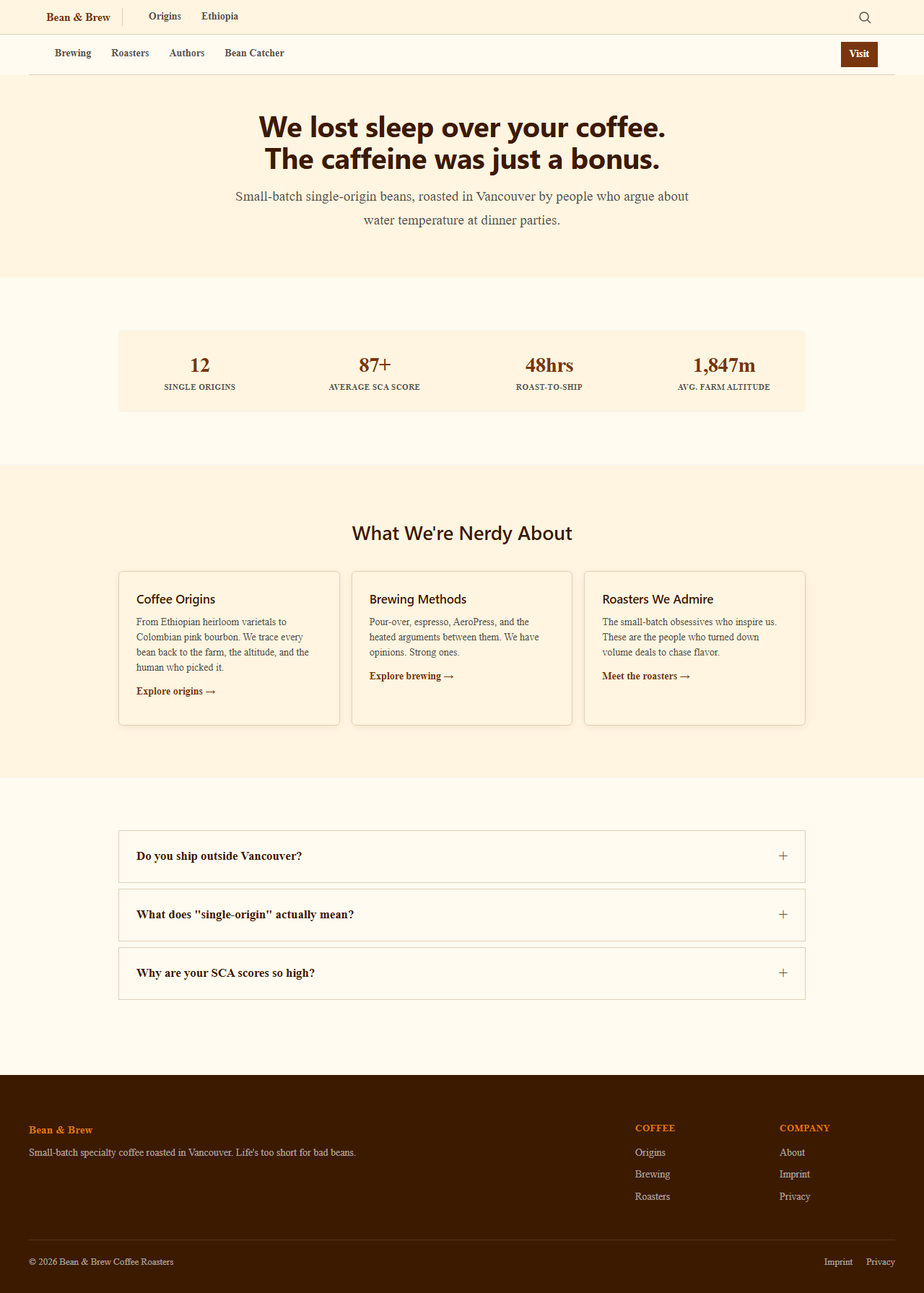
Open your browser. You should see a homepage with navigation, a few starter pages, and a footer. Every page already has:
- A title optimized for search engines (under 60 characters)
- A meta description (under 160 characters)
- Clean internal links between pages
- Structured data that tells Google what each page is about
What is inside a Wire page
Open any file in docs/ with a text editor. You will see something like this at the top:
---
title: Ethiopian Coffee Origins
description: Where Arabica began. How altitude, soil, and tradition shape the best coffee in the world.
short_title: Ethiopia
created: 2026-03-24
---
This title block (the part between the --- lines) is what Wire reads to build your page. The text below it is your content, written in markdown. ## means a heading and [text](/url/) means a link.
Go deeper
- Configuration reference covers every option in wire.yml
- Adding a site explains what a Wire site needs
- Build gates lists what Wire checks before it builds